Every serious fitness app eventually wants the same screen: a body figure that lights up the muscles you’ve trained. It’s the most intuitive way to answer the questions lifters actually ask: what did I hit this week, and what have I been neglecting?
We build Rive muscle heatmap assets for exactly that screen. And because the best way to show what an asset can do is to ship a real product with it, we built, and open-sourced, a complete workout tracker around one.
FitnessBuddy is a free, MIT-licensed, offline-first Flutter workout tracker. The full source is on github.com/jorgeg922/fitness_buddy. This post walks through how the app integrates the Human Anatomy Advanced heatmap asset, and the three design problems you’ll face wiring any muscle heatmap into a real tracker, with the solutions we shipped.
What the app does
FitnessBuddy is a genuinely usable tracker, not a demo:
- A 195-exercise catalog across strength and cardio with 10+ modalities, filters, favorites, and custom exercises
- A routine builder with reordering and per-slot notes
- Live workout logging with modality-aware set forms, rest timers, and crash-safe draft autosave (kill the app mid-set; resume from where you were)
- Analytics: per-exercise progress charts, personal records, history, all computed into daily rollup tables at workout-finish time
- 100% offline: SQLite is the single source of truth; no account, no network
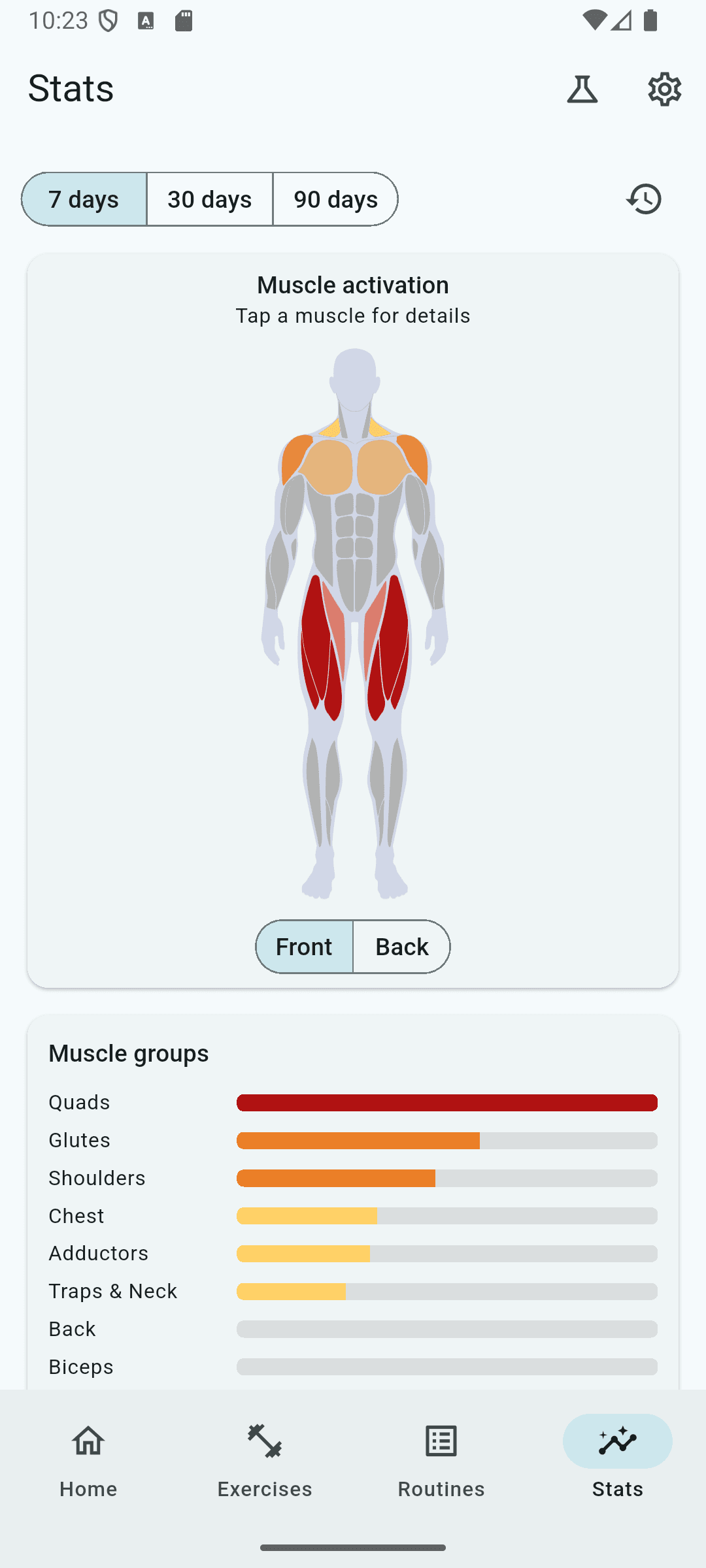
And woven through all of it, the muscle heatmap. It appears in four places, each earning its spot:
- Home dashboard: your last 7 days of muscle activation, at a glance
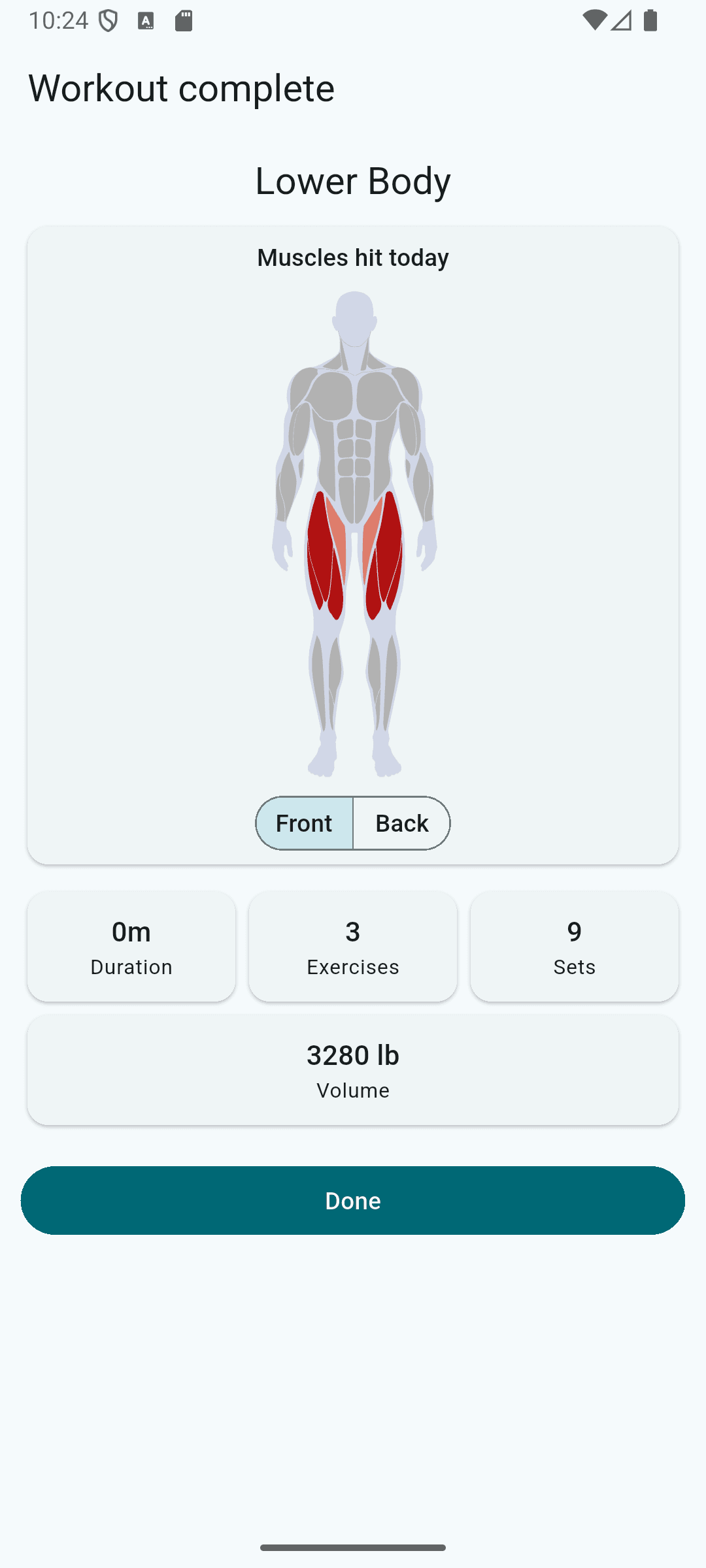
- Post-workout summary: “muscles hit today”, the payoff screen after every session
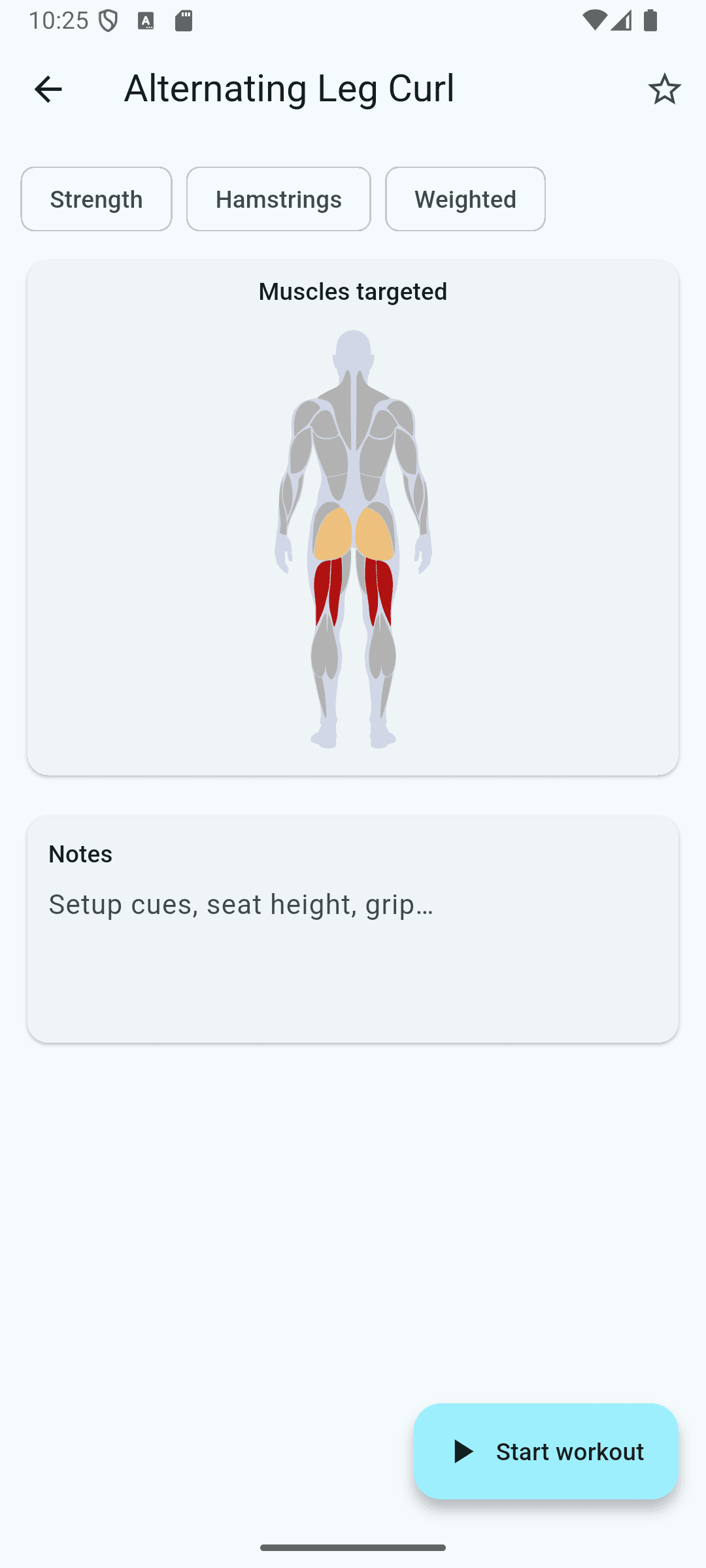
- Exercise detail: a static preview showing which muscles an exercise targets before you add it
- Stats: a date-range activation view where tapping a muscle on the figure opens its training trend, contributing exercises, and a filtered jump into the catalog
Problem 1: your data model doesn’t speak “29 muscles”
The asset exposes 29 individually addressable muscles: pectoralisMajor, latissimusDorsi, vastusLateralis, and so on. But no workout tracker tags exercises at that granularity. Like most apps, FitnessBuddy tags exercises with coarse body parts: chest, back, shoulders, quads, hamstrings. 17 values in total, including fuzzy ones like legs, core, and full body.
The bridge is a small weighted mapping table, in code:
const Map<BodyPart, Map<String, double>> bodyPartToMuscles = {
  BodyPart.back: {
    'latissimusDorsi': 1.0,
    'teresMajor': 0.8,
    'trapezius': 0.6,
    'erectorSpinae': 0.5,
    'posteriorDeltoid': 0.4,
  },
  BodyPart.glutes: {
    'gluteusMaximus': 1.0,
    'gluteusMedius': 0.8,
    'adductorMagnus': 0.3,
  },
  // ...15 more
};
A back workout doesn’t just light up the lats. It warms the traps, spinal erectors, and rear delts at reduced intensity, which is what actually happens in the gym. Generic tags like full body spread low weights across the whole figure.
Two implementation notes worth stealing:
- Keep the mapping in code, not the database. It’s opinion, not data. You’ll tune it, and tuning shouldn’t require a migration.
- Guard it with a unit test. Rive view-model lookups fail silently on unknown names; a typo means a muscle just never lights up. Our test asserts every mapping key is a real muscle name and every one of the 29 muscles is reachable.
Problem 2: turning “sets logged” into heat
The asset takes an intensityfrom 0–4 per muscle and interpolates the color ramp continuously between stops. What number do you feed it?
Raw volume doesn’t work: a beginner’s 3 sets and a powerlifter’s 30 both deserve a vivid heatmap. FitnessBuddy normalizes relative to the window being displayed:
score[muscle] = Σ bodyPartUsage[part] × weight[part][muscle]
intensity[muscle] = 4.0 × sqrt(score[muscle] / maxScore)
Two tricks in one formula:
- Relative scaling: the hardest-hit muscle in the window pins 4.0, so the figure always shows contrast regardless of training volume.
- Square-root compression: under linear scaling, secondary muscles (your 0.4-weight rear delts) sit near zero and the figure reads as one red muscle on a gray body. The square root lifts the midrange: a muscle with a quarter of the top score renders at half intensity.
The whole thing is a pure function, trivially unit-testable, and the same math drives the weekly dashboard, the date-range stats view, and the post-workout summary.
Problem 3: the asset is commercial, the repo is public
FitnessBuddy is open source; the heatmap asset is a paid product. We wanted anyone to git clone and flutter run and get a working app, not a crash, and not a dead screen.
The solution is a single widget seam. Every screen renders HeatmapView, which probes at runtime whether the .riv file is bundled:
final riveAssetAvailableProvider = FutureProvider<bool>((ref) async {
  try {
    await rootBundle.load('assets/rive/human_anatomy_advanced_v3.0.riv');
    return true;
  } catch (_) {
    return false;
  }
});
Asset present: the interactive Rive figure. Asset absent: the same intensity data rendered as ranked muscle-group heat bars. Clone the repo and every feature works; drop the purchased .riv into assets/rive/ and the interactive figure activates with zero code changes. CI runs without the asset, which permanently proves the fallback build.
The Rive integration itself
The heavy lifting is Rive’s data binding. The asset exposes a root view model with one nested view model per muscle, each carrying an intensitynumber and a five-color palette, so the app’s theme drives the heat colors at runtime, light and dark mode included.
The integration pattern that matters (full widget in body_heatmap.dart): resolve every muscle’s property handles once at load, cache them, and diff writes in didUpdateWidget. Per-frame updates are then just property writes, no tree walking.
Tap interactivity comes free with the asset: each muscle has a hit box that fires a Rive event carrying the muscle key. The app listens, matches the key against the known 29, and opens the muscle’s drill-down sheet. That single event wire is what turns the Stats screen from a picture into a navigation surface.
Architecture, briefly
For the Flutter crowd: the app is offline-first with a strict one-way layering, Widget to Riverpod provider to use case to repository to Drift DAO to SQLite. Charts and heatmaps never scan raw set logs; finishing a workout runs a pure computation pipeline (stats rollups, PR detection, per-body-part muscle usage) and persists everything in one transaction. The README has the full tour.
FAQ
Is there a free open-source workout tracker with a muscle heatmap?
Yes. FitnessBuddy is a free, MIT-licensed, offline-first Flutter workout tracker with a muscle activation heatmap on the dashboard, post-workout summary, exercise detail, and stats screens. The full source is on GitHub, and the app builds and runs even without the commercial Rive asset thanks to a built-in fallback view.
How do you map exercises to specific muscles in a fitness app?
Use a small weighted mapping table from coarse body-part tags (chest, back, glutes) to individual muscles, with weights between 0 and 1 for secondary muscles. FitnessBuddy maps 17 body parts onto 29 muscles this way, keeps the table in code rather than the database so it can be tuned without migrations, and guards it with a unit test.
Can I use the Rive muscle heatmap in a commercial app?
Yes. The Human Anatomy Advanced asset is sold with a one-time, lifetime, single-app license, and additional app licenses are available. It ships with anatomically accurate male and female figures, front and back views, 29 muscles, runtime-themeable five-color palettes, tap events, and integration samples for Flutter, React, iOS, and Android.
Does the heatmap support custom colors and dark mode?
Yes. Each muscle in the Advanced asset exposes an intensity value and a five-color palette through Rive data binding, so your app theme drives the heat colors at runtime, including light and dark mode.
Take it from here
Everything in this post is in the repo under MIT:
- Clone it: github.com/jorgeg922/fitness_buddy builds and runs with no asset and no setup beyond
flutter pub get - Study it: the
lib/features/heatmap/folder is a complete, production-shaped reference for the mapping, normalization, fallback, and Rive data-binding patterns above - Ship it: the Human Anatomy Advanced asset drops into the repo (or your own app) with anatomically accurate male and female figures, front/back views, 29 muscles, five-stop themeable palettes, and tap events. Flutter, React, iOS, and Android samples included.
If you’re building a fitness app, the heatmap screen is the one your users will screenshot. Make it a good one.
Questions about the asset or the integration? Reach out.